
INSIDE CATERSCALE
From a quote to an
approved kitchen plan.
Follow one booking from 40 guests to 60. See what your customer approves, what stays in history, and when the kitchen’s plan changes.
Real product screens. Fictional demonstration. These captures use a local demo workspace, not customer records or a testimonial. This CAD725 → CAD1,085 example is separate from the illustrated CAD1,575 booking on our homepage. These are catering quote amounts, not subscription prices.
01 / 40 guests · CAD725
Build the quote from your menu
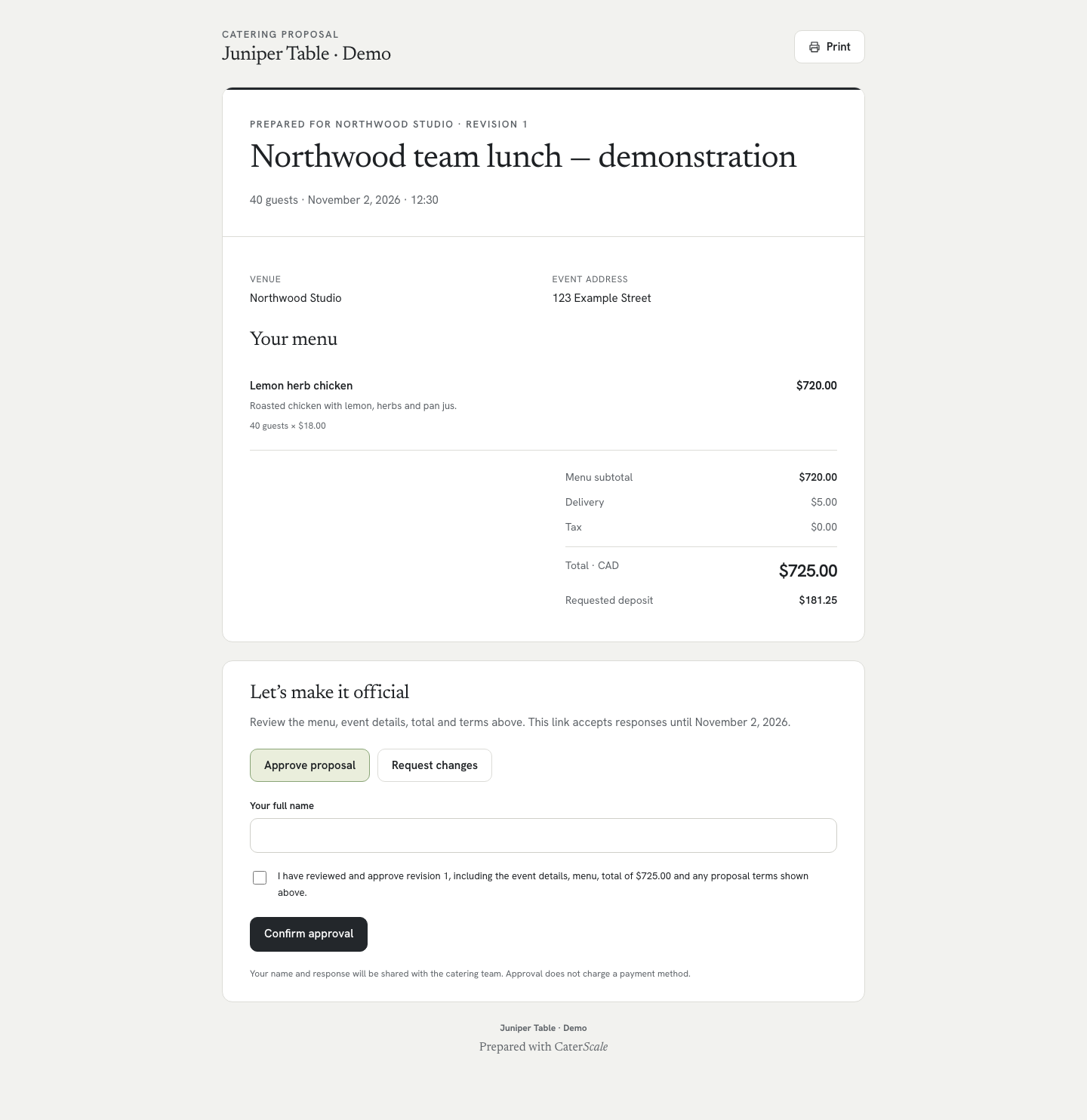
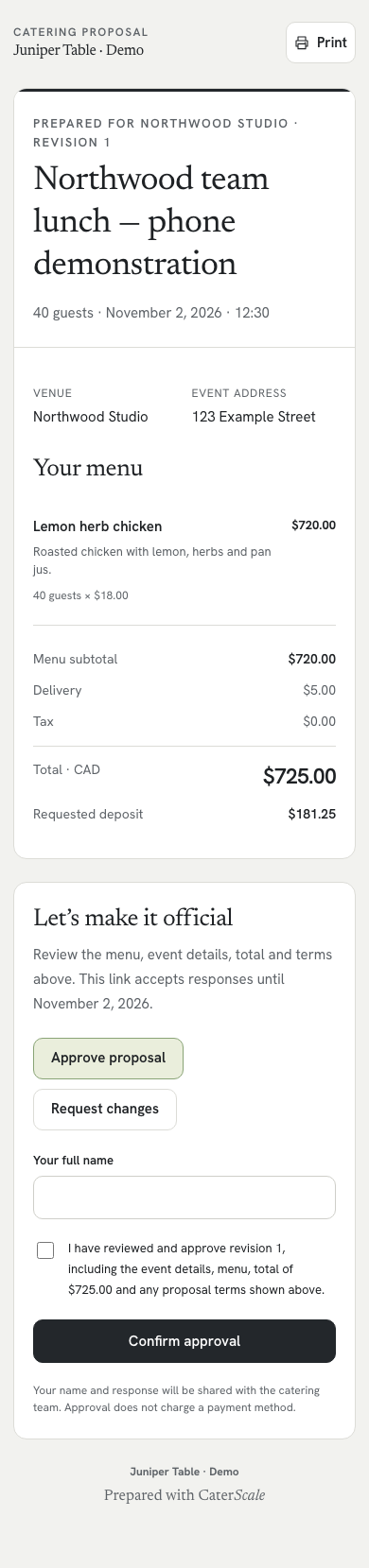
Start with a saved menu item and the number of guests. This example has 40 portions of lemon herb chicken at CAD18 per person, plus CAD5 delivery and no tax.
Scroll inside the screenshot to explore the full screen. Open full desktop screenshot · Open full phone screenshot
02 / Revision 1 · approved
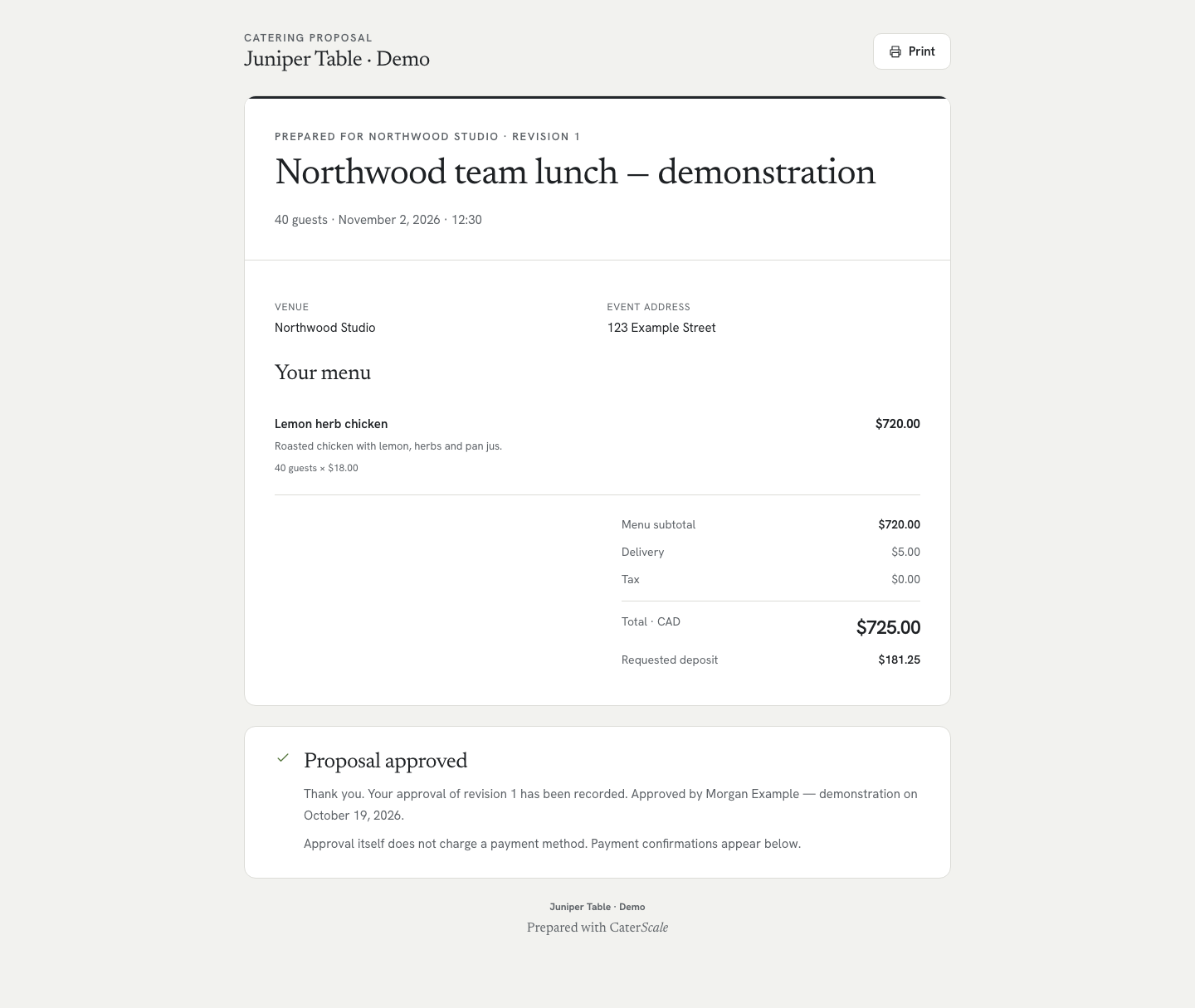
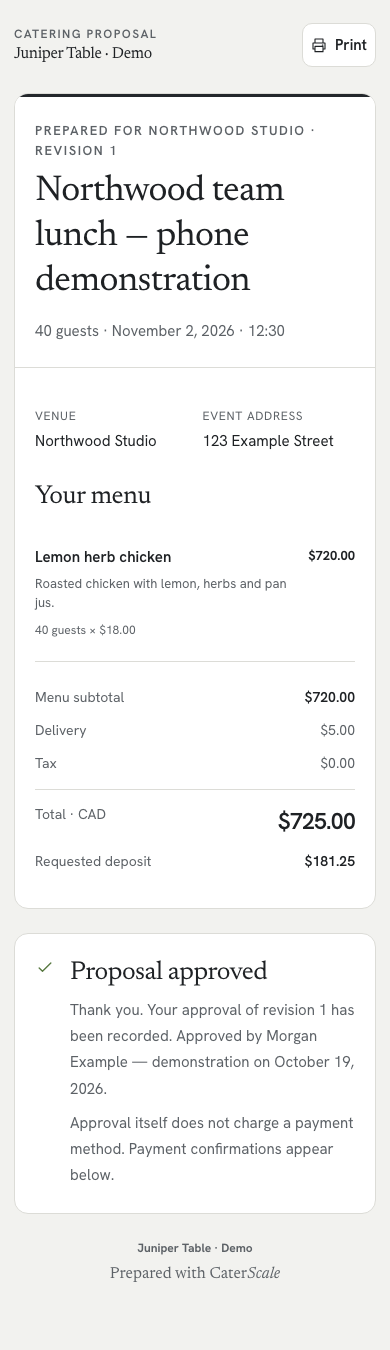
Collect the customer’s approval
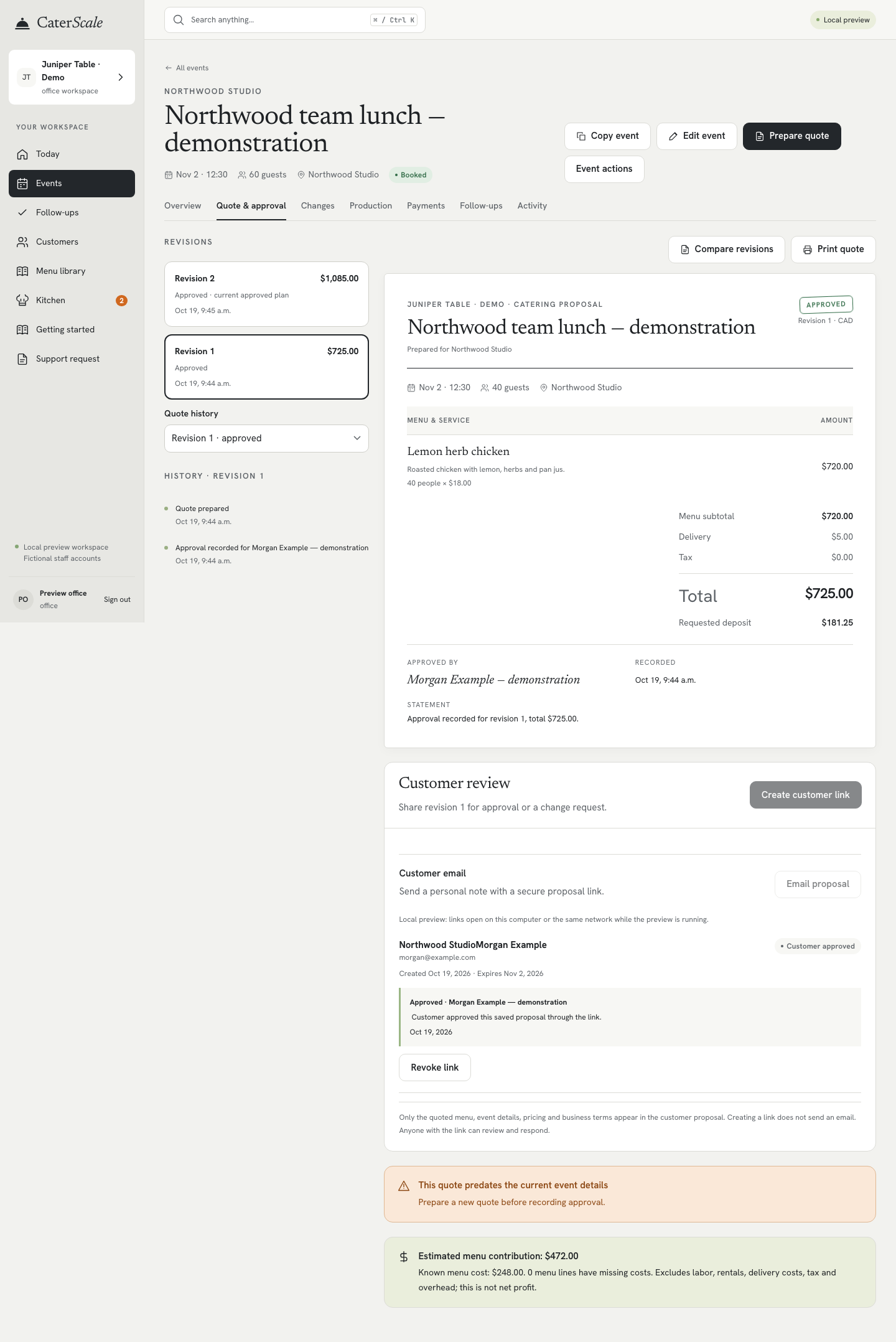
The customer reviews the proposal and confirms their approval online. The approved document keeps the details and price they agreed to.
Scroll inside the screenshot to explore the full screen. Open full desktop screenshot · Open full phone screenshot
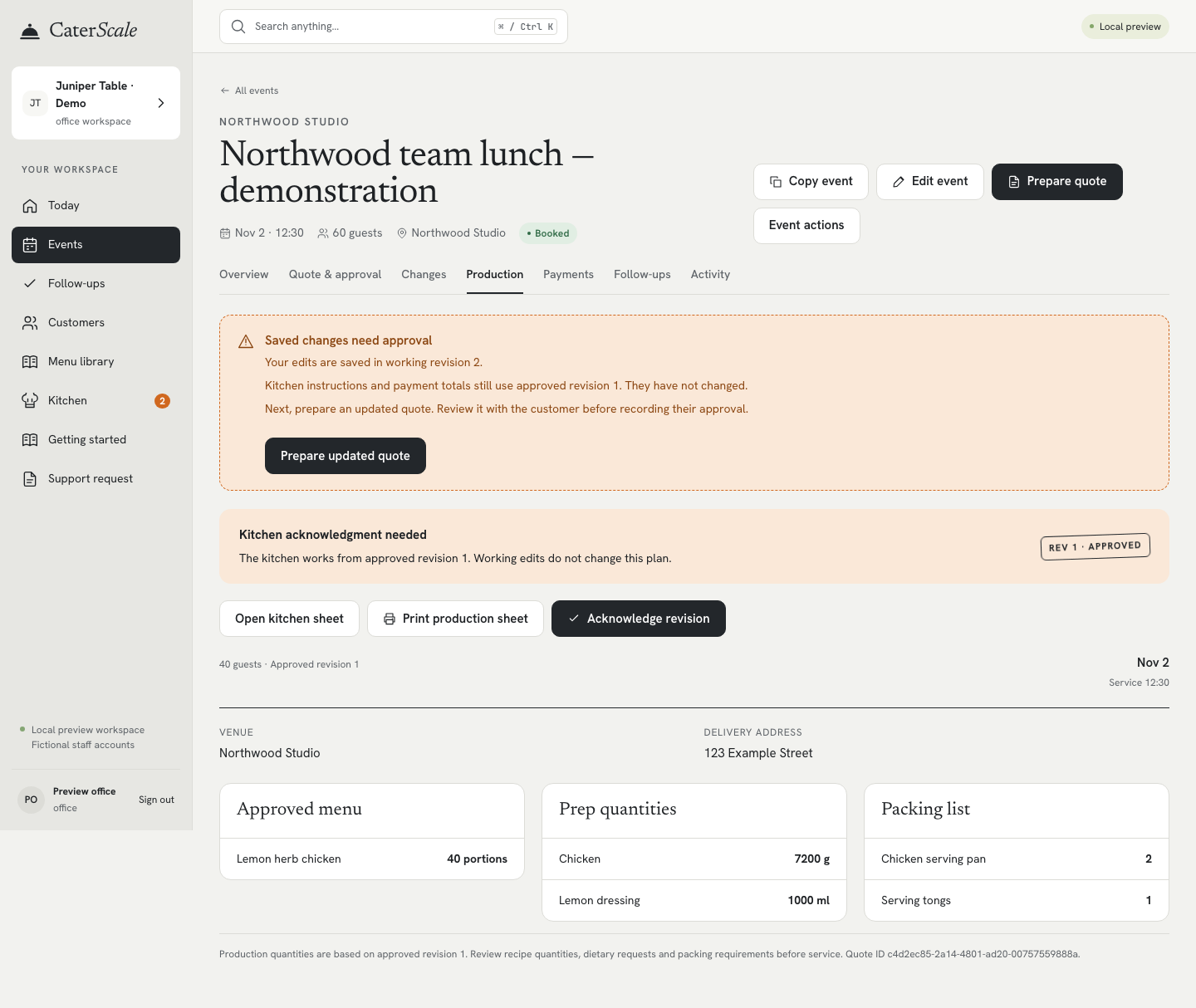
03 / 40 approved → 60 requested
Guest count changes? Keep the kitchen on the approved plan.
Office staff changes the booking to 60 guests. CaterScale flags that the saved changes need approval. The kitchen still works from the approved 40-guest revision until the replacement quote is approved.
Scroll inside the screenshot to explore the full screen. Open full desktop screenshot · Open full phone screenshot

04 / CAD725 preserved · CAD1,085 approved
Keep what was approved, even after a revision
Staff prepares and shares a new quote for 60 guests. After the customer approves CAD1,085, revision 2 becomes the current plan. The earlier approved quote remains available in history.
Scroll inside the screenshot to explore the full screen. Open full desktop screenshot · Open full phone screenshot

05 / Revision 2 · 60 portions
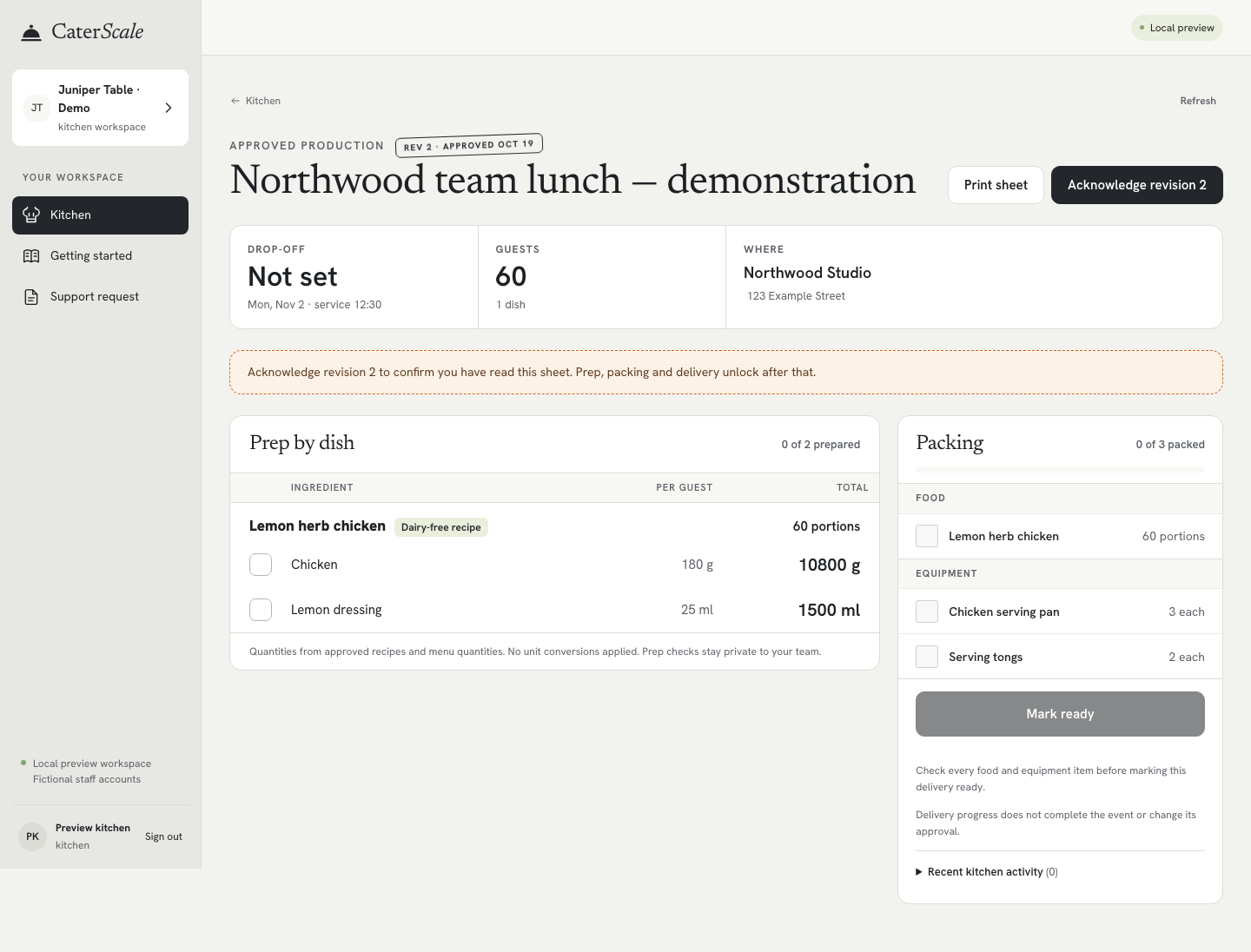
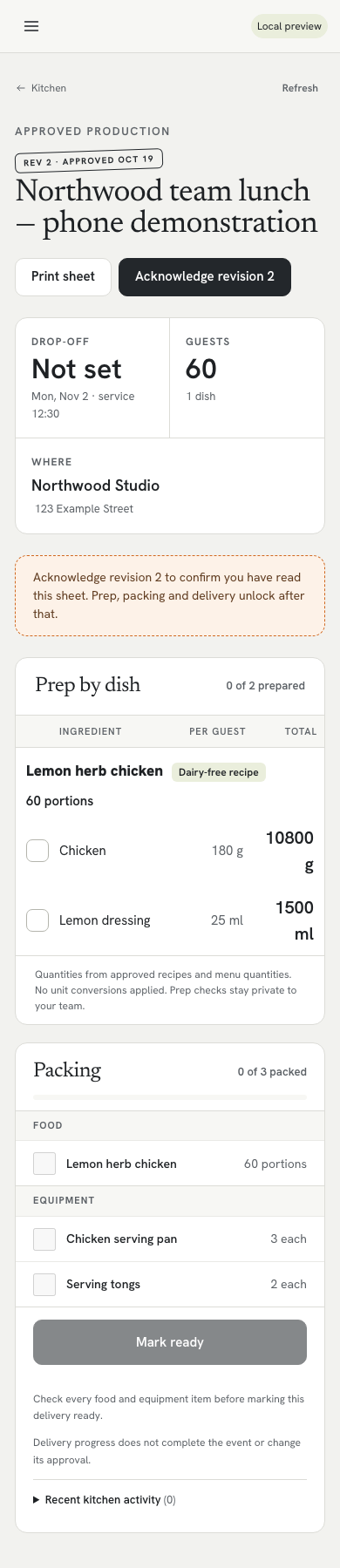
Give the kitchen the approved quantities
The kitchen now sees the newly approved 60-guest plan, with prep quantities and packing items. Customer prices stay out of the kitchen view.
Need a paper working sheet? Use the free catering prep and packing checklist, or start with the quote template for the customer proposal.
Scroll inside the screenshot to explore the full screen. Open full desktop screenshot · Open full phone screenshot
TRY IT WITH YOUR OWN MENU
Bring your next booking together.
Up to five team members. Unlimited venues.
Start your 14-day free trialUS$49/month, or US$39.99/month billed annually at US$479.88/year.
View pricing and what’s included →