
Start with the free catering inquiry questionnaire, or practise the full sequence with the first-booking teaching pack before working on a real customer booking.
01 / BEFORE YOU BEGIN
Bring the information your business will use
CaterScale fits an owner preparing catering bookings and wanting an organised process from the start, whether you work alone or with a small team. You do not need a history of past bookings to begin.
If you are still deciding how to work, a manual quote template can be enough to organise your first proposal. When you want the quote, approval and kitchen plan connected, start with the information below.
- Your business details
- Have your business name, email and address ready, along with your business currency and time zone. Business address is required during setup; business phone is optional. You can review event defaults and quote terms in Business settings.
- A starter menu and your prices
- Prepare the dishes or packages you want to quote, their categories and prices, and whether each is priced per guest, per item or at a fixed amount. CaterScale does not supply your menu or set your prices. Use the first-job pricing calculator, guide and costing worksheet to work through your food, labour and overhead before choosing a price.
- A customer and a booking
- Gather the customer details and the event name, date, service time, venue, address and guest count. Include the agreed menu and relevant dietary or service notes. A drop-off time is separate from service time and can remain unset when it has not been agreed.
- Your recipe and packing information
- Enter ingredient quantities and units for the dishes, plus the equipment to pack. Kitchen totals depend on this information; a menu price alone does not supply a recipe. Review the quantities and instructions you enter.
02 / SET UP ONE COMPLETE BOOKING
From business details to an approved kitchen plan
You can start as the owner without inviting another person. Getting started provides role-specific lessons and links into the app; reading a lesson does not create your business records or complete the work for you.
Set up the business
Create and verify your account, enter your business details and review the terms and privacy policy before completing setup. Trial entry takes you to Getting started. Review your event defaults and quote terms in Business settings.
Add the menu you want to quote
Enter your first menu items, prices and pricing basis. Add recipe and packing information for kitchen use. You can enter records manually; importing a CSV is optional.
Add the customer and event
Create the customer, then the event with its guest count, date, times, destination and menu. Check any delivery charge, discount, tax and requested deposit before preparing a quote.
Build, review and share the quote
Review the customer-facing document and totals, then share the proposal link for customer approval. Creating a quote is not customer approval, and approval is not payment.
Use the approved revision in the kitchen
Once the customer approves, open the production sheet and acknowledge the current plan. Ingredient prep, food packing and equipment packing have separate checks. If a replacement quote is approved, acknowledge the new revision and start fresh checks; earlier history stays available.
Handle invoices and payments separately
Issue an invoice from the approved quote and track the amount still due. Record payments received outside CaterScale separately. Online card collection requires your business’s Stripe connection and payment readiness; Stripe processing fees apply.
As your team grows, owners manage business settings and access, office staff work on customers and bookings, and kitchen staff use approved production information. Kitchen views keep customer prices and internal margins out of the operational sheet.
03 / SEE WHAT THE RESULT LOOKS LIKE
A first quote, then a change of plan
The Northwood example uses existing product screenshots and sample data. These are not customer results or automatic records added to your new business. You bring your own menu, prices, recipes and booking details.
For the fictional Northwood lunch, 40 guests at CAD18 each plus CAD5 delivery gives a CAD725 quote. The customer approves revision 1. When the booking changes to 60 guests, the replacement quote totals CAD1,085.
While that replacement awaits approval, the kitchen keeps the approved 40-guest plan. After the customer approves revision 2, the kitchen receives the 60-guest plan and needs a new acknowledgment and fresh prep and packing checks. The original approval remains in history.
Scroll inside the screenshot to see the full screen. Open full desktop quote screenshot · Open full phone quote screenshot
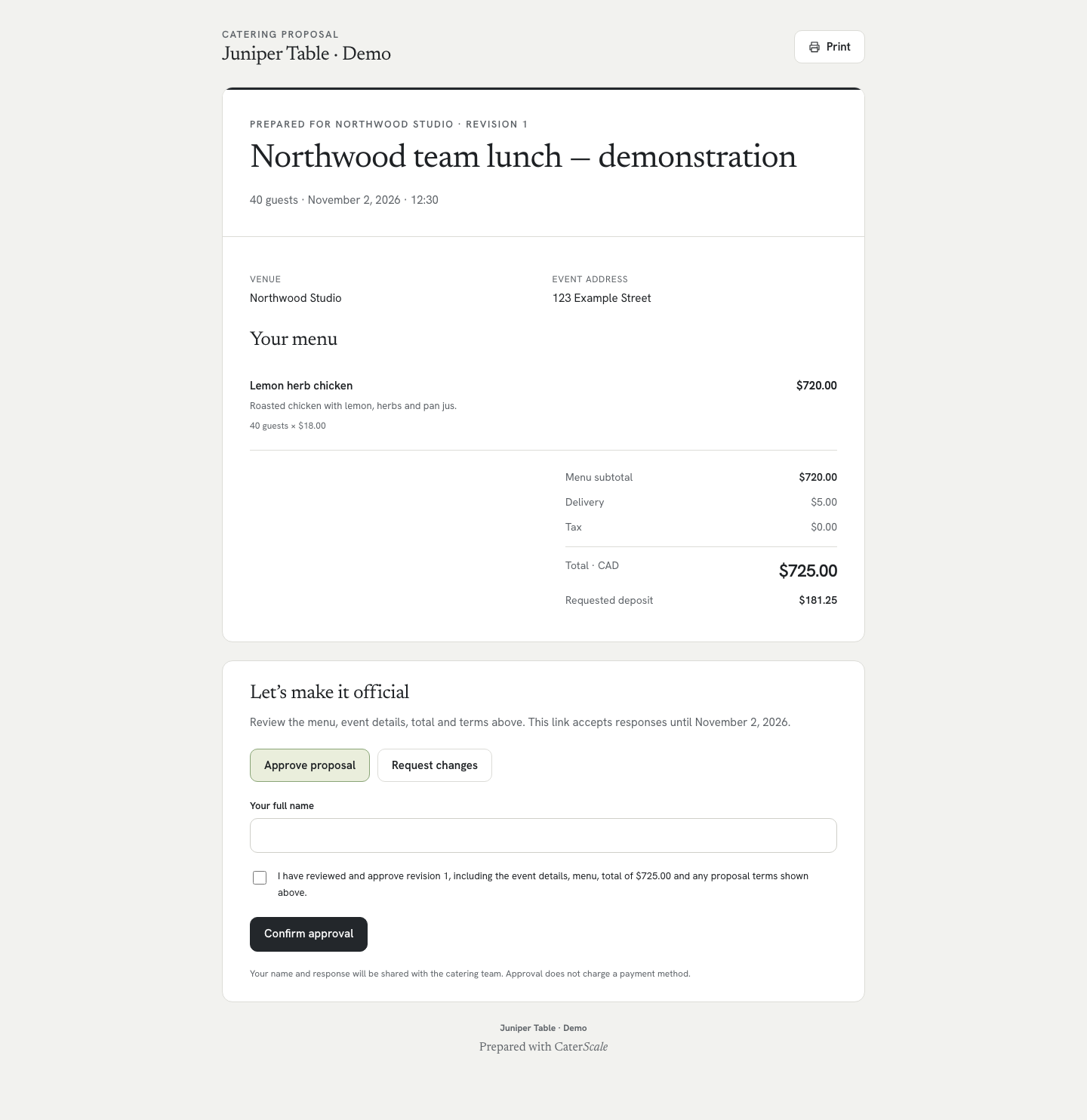
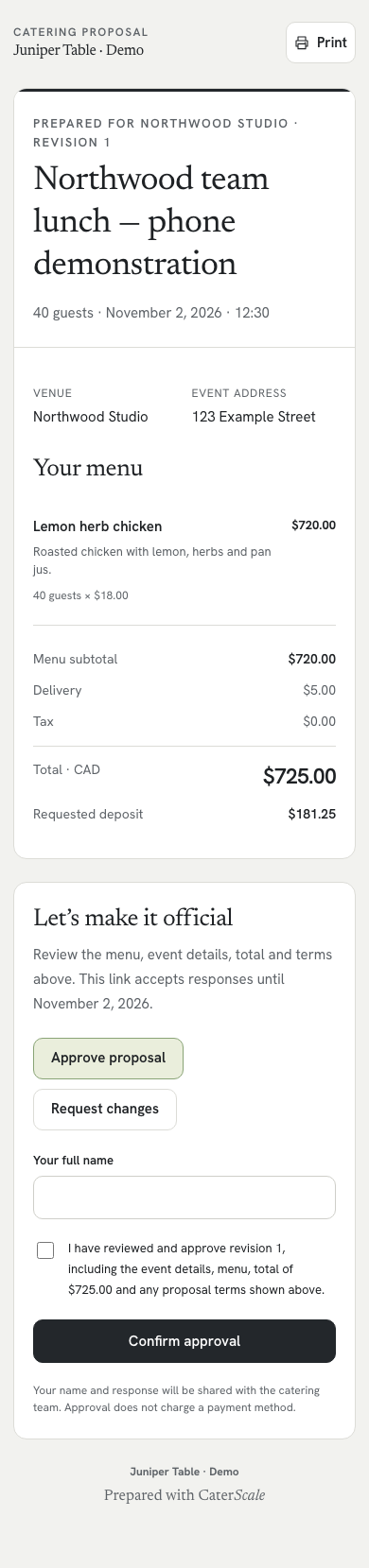
Scroll inside the screenshot to see the full screen. Open full desktop kitchen screenshot · Open full phone kitchen screenshot
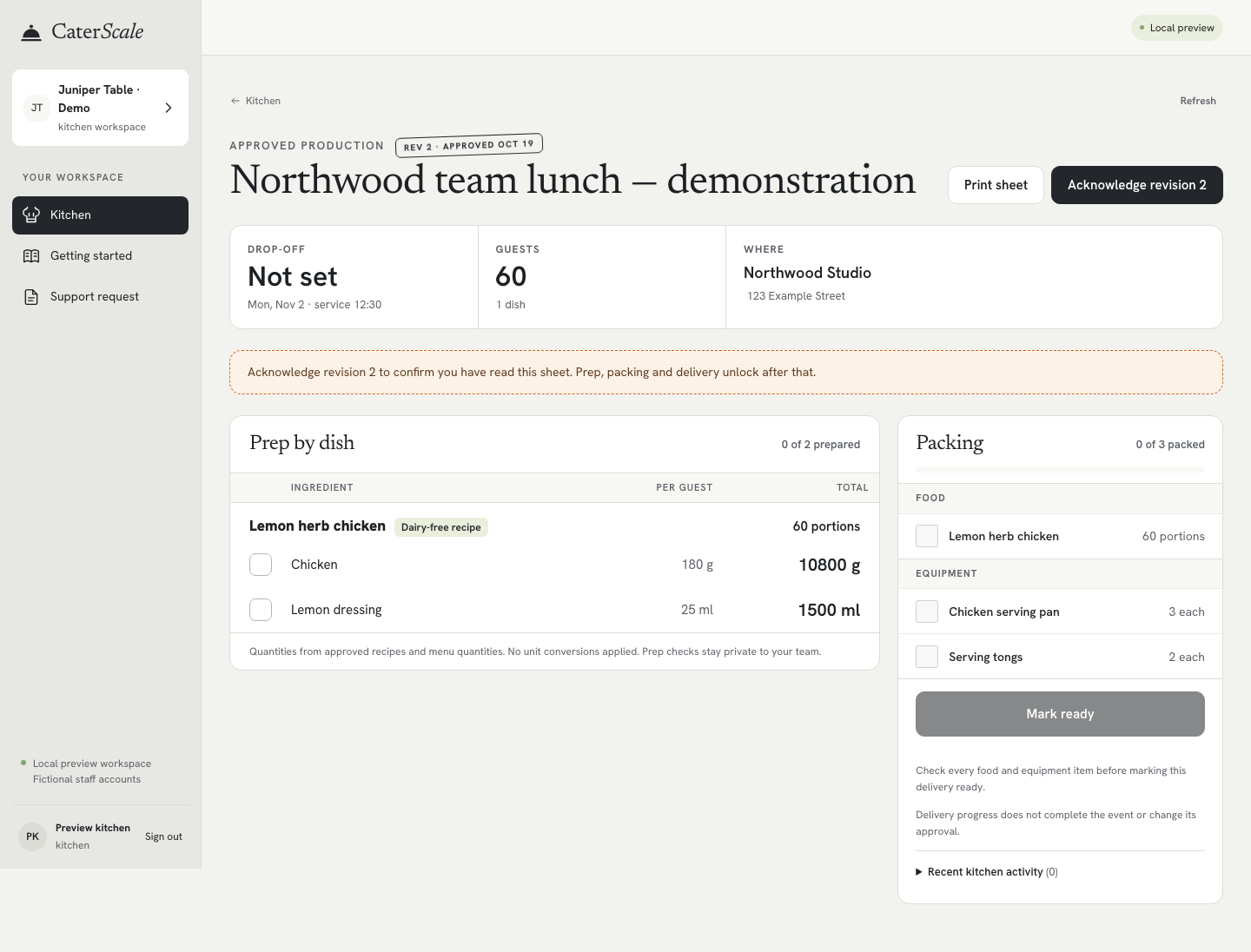
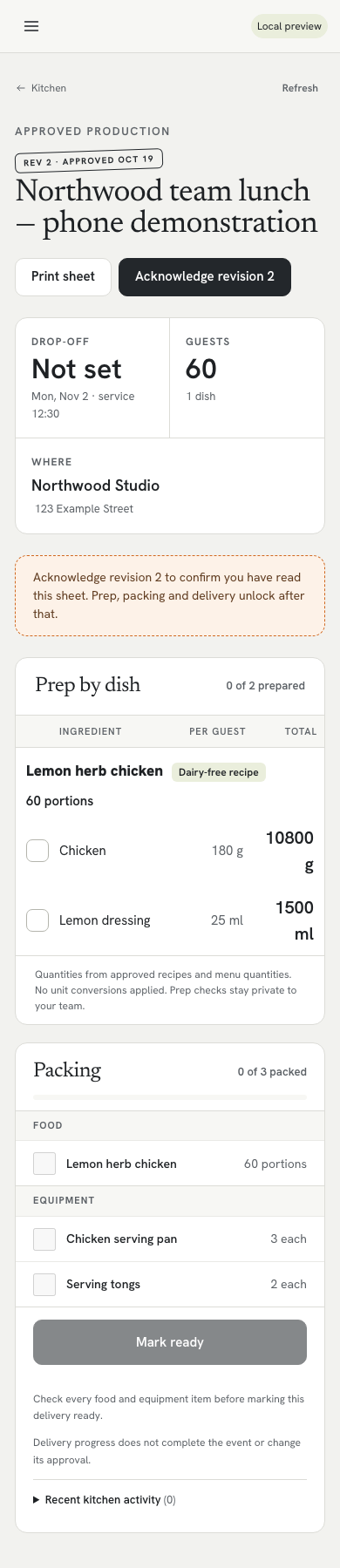
04 / PRACTICAL FIRST-SOFTWARE QUESTIONS
Know what to expect before you start
Can I start on my own?
Yes. An owner can manage customers, menus and events and access the kitchen workflow. You do not have to invite a teammate to create your first booking. Getting started includes guidance for your role.
Do I need a spreadsheet to import?
No. Enter customers and menu items manually if you are starting fresh. Optional CSV imports let you map columns, preview records and select rows to create. They create new customer or menu records; they do not update existing ones or migrate historical events, quotes, invoices or payments.
How much setup is involved?
You supply your business details, menu prices and booking information. Add your recipe quantities and packing items for useful kitchen outputs, then review a complete sample booking before relying on the workflow. Setup effort depends on the information you have ready; there is no promised setup time or automatic business launch.
Are menus and kitchen quantities supplied for me?
No. The business supplies its menu, recipe quantities, units and packing requirements. CaterScale calculates production quantities from the approved quote and the information captured with it. Check your own recipe basis and operational instructions.
What do the team and venue limits mean?
The plan includes up to five team members and unlimited venues. A venue is a catering destination, not another business workspace. If you need a larger team or separate workspaces, confirm an appropriate arrangement before subscribing.
What does CaterScale cost after the trial?
The trial lasts 14 days. Monthly billing is US$49/month. Annual billing is US$479.88/year, equivalent to US$39.99/month billed annually. Annual is one yearly charge. Review the billing terms before confirming a subscription.
Can customers pay online straight away?
Card collection depends on connecting your catering business to Stripe and completing its payment-readiness requirements. Stripe processing fees apply, and customers enter card details on Stripe-hosted Checkout. Setting up a CaterScale workspace or approving a quote does not itself collect a payment.
What does this software leave to my business?
CaterScale organises booking operations. It does not deduct inventory, create purchasing orders or optimise delivery routes. It does not establish your business’s legal, licensing or food-safety readiness. Those responsibilities remain with your business; this page is not a complete business-startup guide.
START WITH A WORKFLOW YOU CAN REVIEW
Give your first booking a clear path
Use the trial to enter your own menu and walk through a quote, customer approval and kitchen handoff. If you are still deciding, explore the screenshots or begin with a manual template.
Up to five team members. Unlimited venues.
US$49/month, or US$39.99/month billed annually at US$479.88/year.